If you are coming after finding DataGraph on the Mac App store, please visit this page.

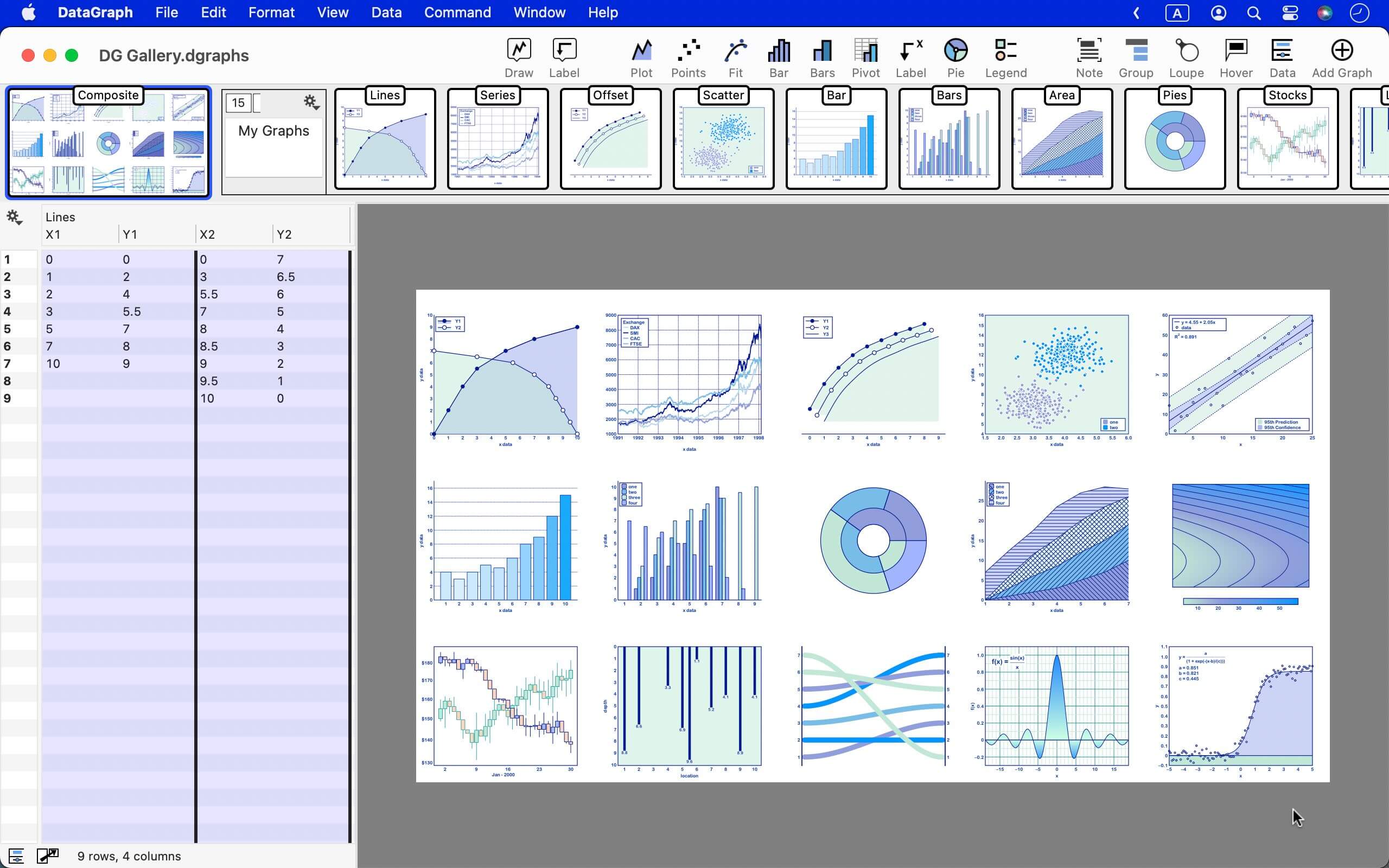
DataGraph is a simple and powerful graphing application for Mac OS X. It is a great companion for Excel, Numbers or any of the big statistical packages.
Simple because it is very easy to draw plots, bar graphs, and fit functions. Start typing in data and the graph immediately shows up. Pick from the initial template list and modify the data, change colors, resize easily and interactively. Download DataGraph now and try it out. Once you like it, you can register your copy from within the application or through the on-line store.
Powerful because as you use DataGraph more and more you will see that every aspect can be tweaked, both interactively and by specifying exact values. You can zoom in on a particular spot, attach labels, compute histograms, fit functions, overlay experimental and analytical results. Because of DataGraphs separation of data and graphs you can then very easily create the same graph for different data by just importing or pasting a new data set into the data table.
Worried about hitting the boundary of what DataGraph can after a couple of weeks of using the application? Don’t. DataGraph has a lot of functionality and power beneath the clean exterior.

DataGraph includes many common statistical functions such as function fitting, histograms and box plots. You can easily combine data, fitting results and arbitrary analytical functions in the same graph.
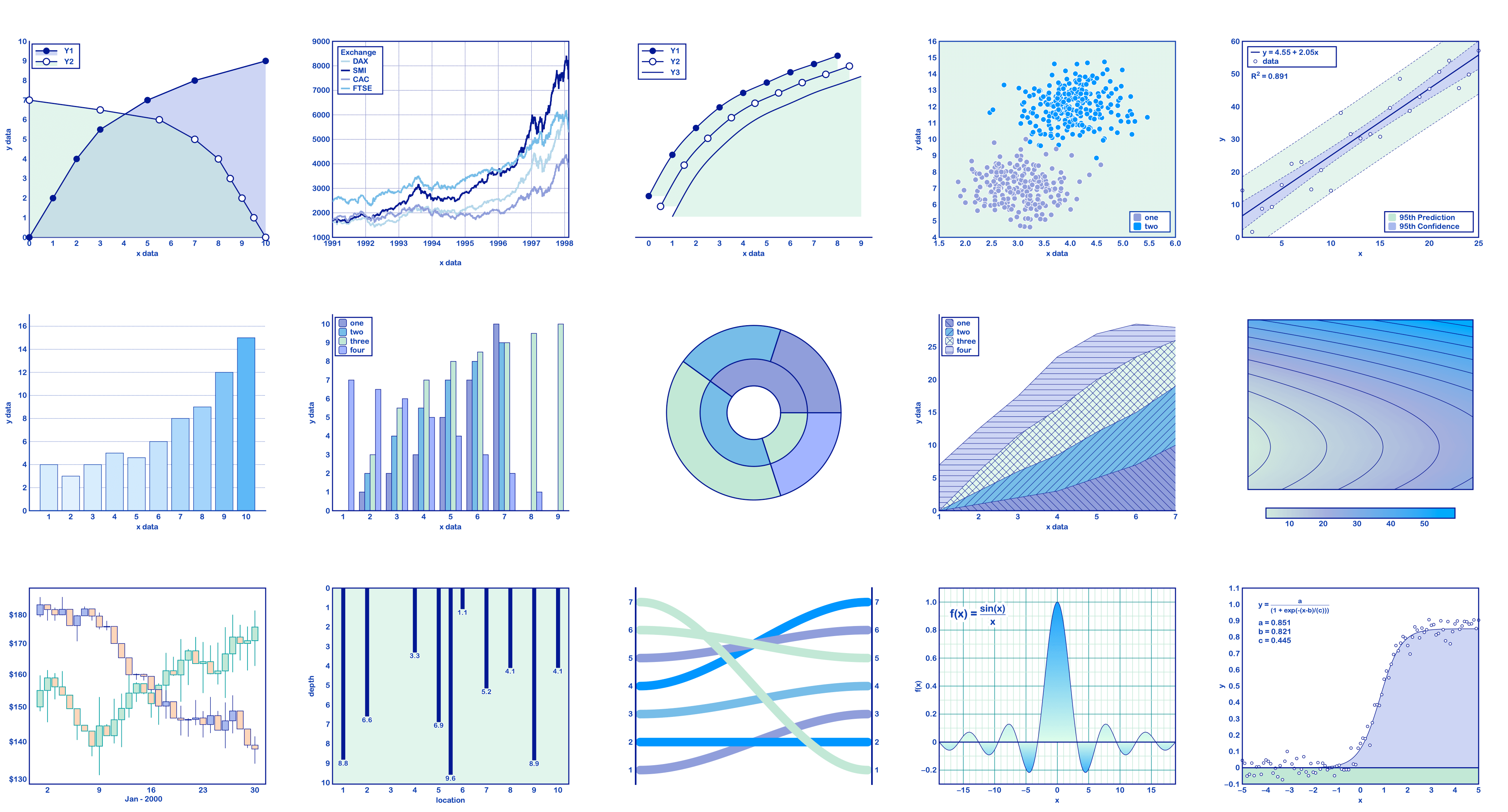
DataGraph creates great looking graph with minimal user fidgeting, but allows you full control if you need to. Here DataGraph differs greatly from standard graphing approaches where you end up spending a huge amount of time entering in tick marks, line thicknesses, selecting from menus etc. DataGraph uses default rules intended to make great looking graphs, with tick locations, label positions etc chosen using intelligent rules.

Features:
Here is a partial list of what you can do in DataGraph
- Scatter plots and line plots: The standard way to draw xy type data. Can put x and y error bars.
- Vary the color and/or size of each marker based on data, and mask out rows based on value or label.
- Analytic functions: Just type in the expression e.g. x*sin(x), and draw it on any interval.
- Histograms, Box plots: Have DataGraph bin your data, compute means, medians etc.
- Function Fits: linear, polynomial, power, exponential, arbitrary functions. Easy to vary the fit function, and report the result.
- Bar charts: Both in x and y. side by side, stacked or area. Include error bars, and labels. Combine with any other drawing command.
- Fast. Import and draw millions of data points smoothly.
- Import data files from Cricket Graph documents (as well as Matlab, Plot and text files)
- Export your graphics to pdf, eps, svg, tiff, jpg, png. Or just copy the figure and paste it into KeyNote or any other program.
- Easy to zoom in on data, both on the graph and using a magnifying glass.
- Can set parameters in functions using sliders, and see the graph change in real time.
- Easy to create multiple axes.
- Robust support for calendar dates.

Who should use DataGraph?
Among others
- Anyone that liked Cricket Graph, an old graphing program for the Mac (classic). DataGraph can import Cricket Graph data files, so you will be able to finally retire that 98 blue iMac.
- Anyone that wants to copy a block of data from a spreadsheet and graph it quickly. DataGraph is a great companion for Numbers and Excel. Don’t settle for Excel type graphics, create clean/presentable/professional looking graphs.
- Anyone that wants to draw analytical functions, and vary them in real time with sliders.
- Anyone that wants a quick fit or statistics for a data set.
- Wants to explore a data set, and quickly test different views/projections.
- Anyone that needs to create graphs for a publication, with exact font control, nudge labels.
- Anyone that wants to draw data as a function of date, since DataGraph has excellent date support both in understanding dates and drawing date axis. (link)
- Command line junkies that can use the built in command line utility to create clean graphics as a part of a work flow. DataGraph also comes with an Automator action.

DataGraph vs Spreadsheets
DataGraph is not a spreadsheet, but rather based on a table concept where rows and columns are fundamentally different. You do not refer to individual cells, but rather act on a column by column basis, and the action applies to all of the rows in the same way. DataGraph can handle huge number of rows (into the millions) and easily thousands of columns. All drawing actions are optimized so that drawing actions will stay fluid. There is no cap on rows and columns except limits imposed by the fact that data sets are stored in memory. One way that DataGraph deals with multiple tables is by grouping the columns. This allows you to express a hierarchy of data such as problems inside a midterm, with expressions to sum up grades, compute averages.
DataGraph does a sub-set of what spreadsheets do, and for some it might be all that they need to do with the data. The table calculations that DataGraph does do, it does much faster than a spreadsheet, in particular when dealing with large data sets.

What does DataGraph cost?
DataGraph costs $90. You can also use DataGraph in trial mode without paying, but this disables a number of features and puts a watermark on the graphic. Once you decide to pay, you can buy a license from within the application or through the on-line store or through the new Mac App Store if you are using OS 10.6.6 or later.
With a license you get:
- A single user license, that can be used by that user on multiple machines.
- Command line version is enabled
- Cricket Graph import is enabled
- Can export images and movies
- Can use the arbitrary function fit
- The watermark is removed for apps that use the DataGraph framework (and don’t have their own license).
So browse the screen shots and movies of DataGraph in action. Download a copy and try it. There is also a discussion board dedicated to questions and suggestions.

Follow @datagraphapp